MediaDB

MediaDB

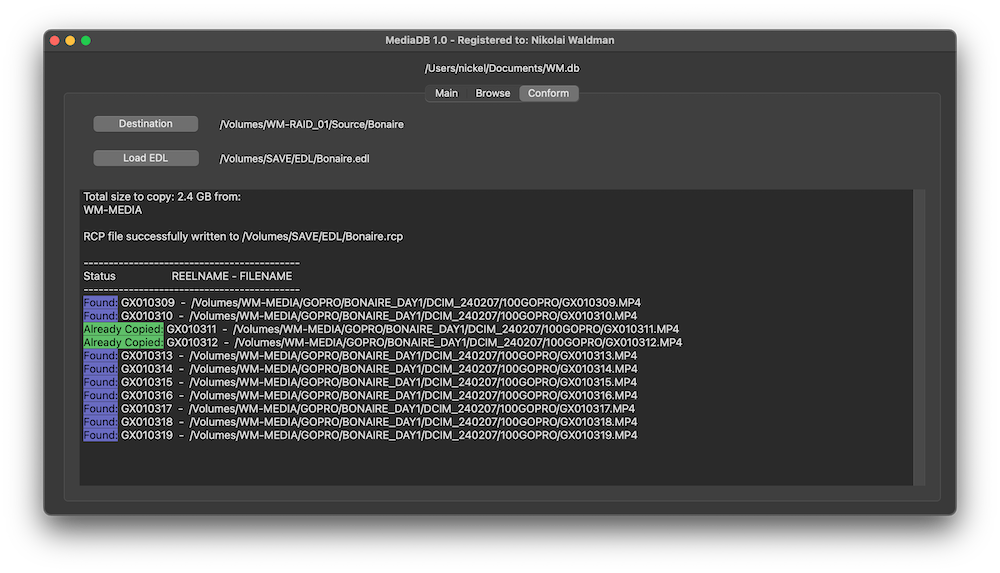
MediaDB è uno strumento indispensabile per piccole case di post-produzione e freelance che lavorano con grandi quantità di hard disk e dischi. L'app aiuta a creare un database di tutti gli hard disk e i file in uso. Ti permette di cercare file e sfogliare l'albero delle directory anche quando i dischi sono offline. MediaDB può essere utilizzato anche per creare un file RCP per DaVinci Resolve a partire da una EDL durante il processo di conforming del film.
Caratteristiche

  • Manage hard drives and discs offline
  • Index files like source material, archive footage and more
  • Search for files without connecting a drive
  • Create RCP files with EDL for Resolve Collect

The perfect tool to manage a huge archive of drives in small post-production studios or for freelancers.

The demo version allows to scan the first 50 files on each drive.

Requires macOS 11.5 or later

Manage hard drives and disc archives easily.

Index Drives

Scans the hard drives and add them it to the database. Make sure every drive has a unique name. If you add or remove files from the drive you can scan it again and the database will be updated.


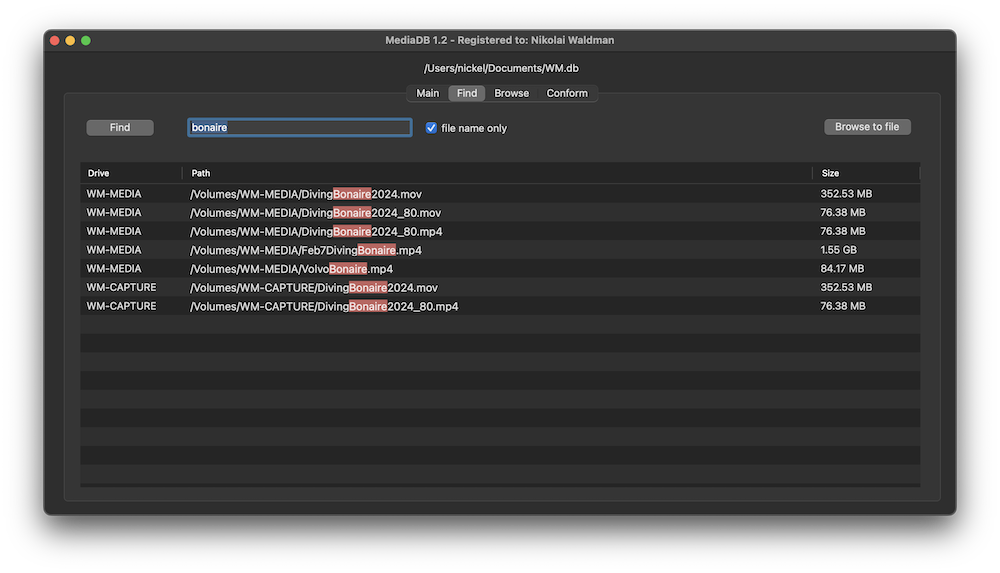
Search files without the drive

Use MediaDB to find a file when you need it without connecting any drives to your computer.

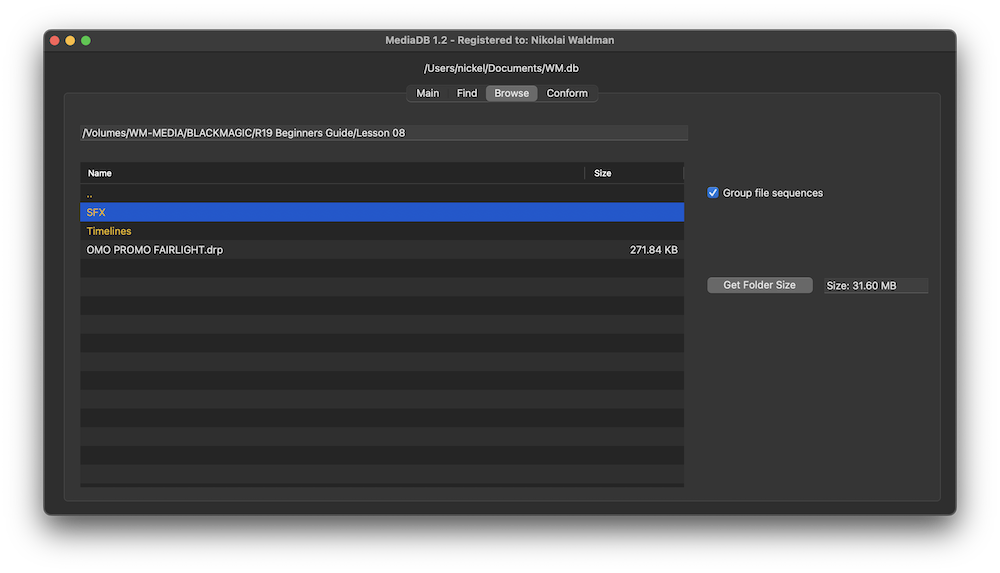
Group file sequences

When selected, each file sequence will be presented in the format filename[start-end].extension


Get Folder Size

Select a folder and press the “Get Folder Size” button to calculate the size of all folders and files recursively.

Conform

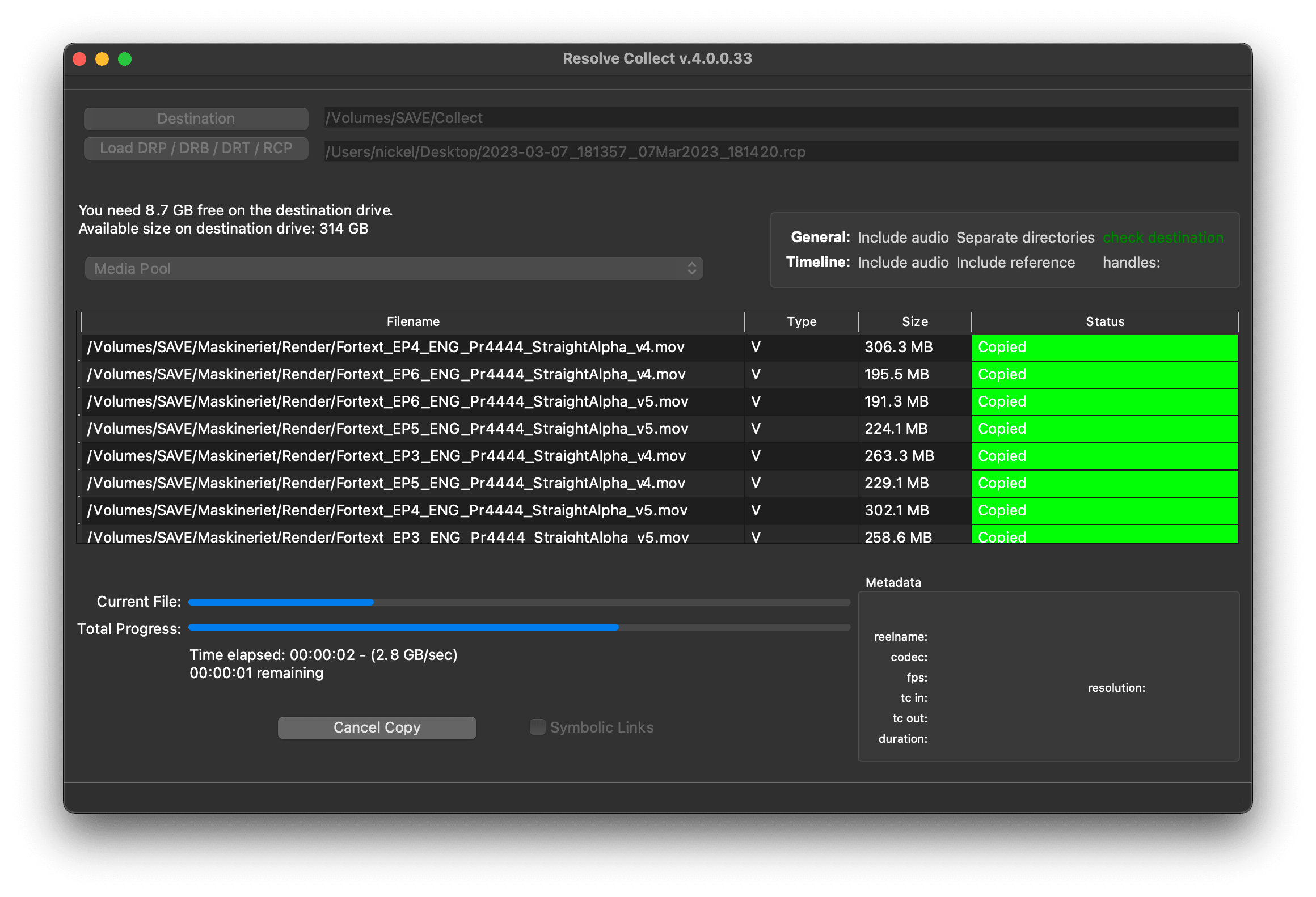
Import an EDL from any NLE with full reel names (e.g. File_129), and MediaDB will find the files and tell on which drives they are on. It will also create an RCP file, which you can then use with Resolve Collect to copy all the files.

Use cases of MediaDB

Film Editors working on multiple projects often need to use multiple discs to store source footage and other assets. Rather than connecting hard drives to the computer and trying to find the correct file, MediaDB can easily locate the file. A quick search in the app is enough to find the necessary file and locate the correct disc. This is especially useful if the archive includes SD cards, USB sticks, and other virtual drives.

Scegli la tua licenza

We offer three types of licenses. The single-user license is ideal for freelancers who want to use the software on one or two computers. This license is tied to a single account. For companies, we offer a team license, which is bound to the company. The number of licenses can be chosen upon purchase, with a minimum of three licenses. We also offer an enterprise option. Please contact our sales team for more information. All licenses are perpetual.

Ti consigliamo di accedere prima di effettuare un acquisto, così potrai accedere facilmente ai futuri aggiornamenti del plugin.
Licenza per utente singolo
loading...
Team License (3+ users)
loading...
Contatta il nostro team vendite per una licenza Enterprise.

Nota bene: il plugin è attualmente disponibile solo in inglese.

Verrai reindirizzato al checkout sicuro di «Paddle». Paddle.com è il Merchant of Record.

Inversione contabile (reverse charge): Se acquisti per un'azienda e hai una partita IVA, in alcuni paesi potresti poter usare la procedura di inversione contabile (reverse charge). Nella pagina di pagamento, dopo aver selezionato il paese e il codice postale, clicca a sinistra su "Add VAT ID".

Bundle

Resolve Collect and MediaDB

25% off
Ti consigliamo di accedere prima di effettuare un acquisto, così potrai accedere facilmente ai futuri aggiornamenti del plugin.

Supporto

Se hai domande o richieste di funzionalità, contatta il nostro team di assistenza. Saremo lieti di assisterti!

DOMANDE FREQUENTI

Dopo il download, decomprimi il file zip e avvia il file .pkg. Poi segui la procedura guidata di installazione.

From the app menu, select File > Register. Enter your license key in the "Key" field.

To remove a license from a device, choose File > Register from the app menu. Click on "Remove License".

You can save the database file to a server and connect to it there. However, be aware that the connection speed will be much slower. For the best speed, it’s better to have one master database file that you distribute to all the machines that need to access it.

Sì, se sono disponibili aggiornamenti, puoi scaricarli gratuitamente.

No, questa applicazione funziona offline e non condivide i dati del progetto online.

Questa applicazione è supportata solo su macOS.

Puoi semplicemente cancellare il file .app dal tuo computer.

Se hai bisogno di una funzione dell'app, di una nuova opzione o di una versione personalizzata, inviaci un messaggio. Forniamo soluzioni personalizzate per la tua attività.

Nikolai Waldman leads development for this app, which is published and distributed via EditingTools.io.